Windows 2000 DNS
Configuration
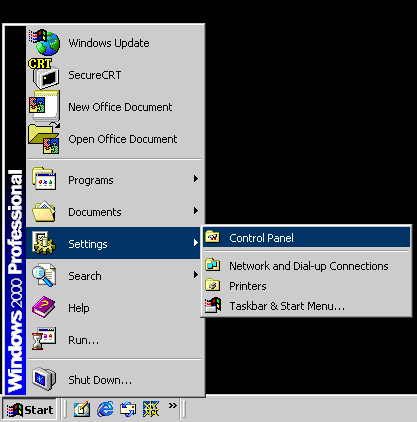
Click your "Start" and then
"Settings" and then over to "Control Panel" and left click
on it.
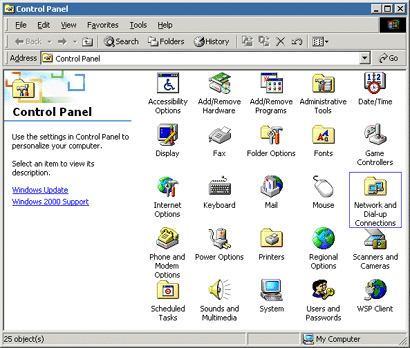
Locate "Network and Dial-up
Connections" and double left click to open it.
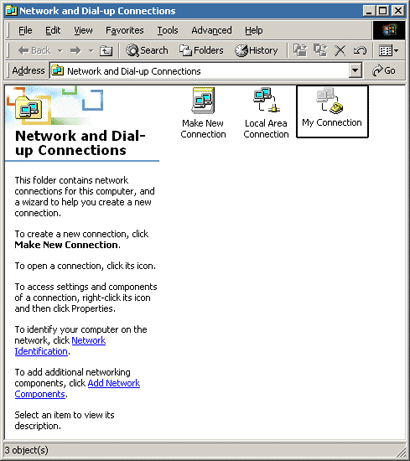
Locate your dial up connection, and double left
click on it to open it.
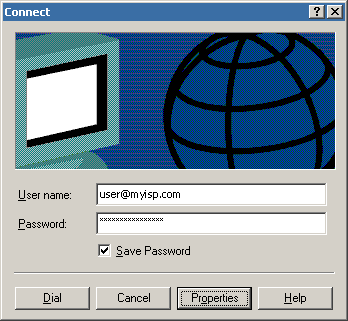
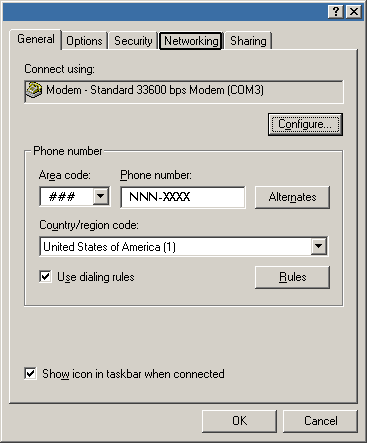
Find the "Properties" button and single
left click on it.
Locate the "Networking" tab and single
left click on it.
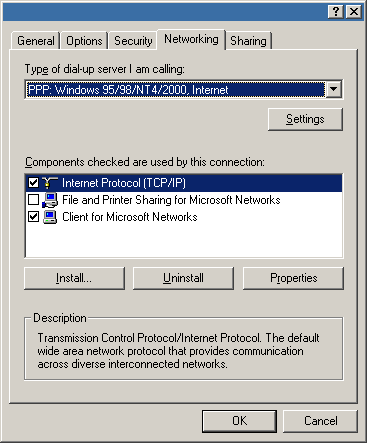
Find the line that says "Internet Protocol
(TCP/IP)" and single left click on it to highlight it. Now, find the
"Properties" button and single left click on it.
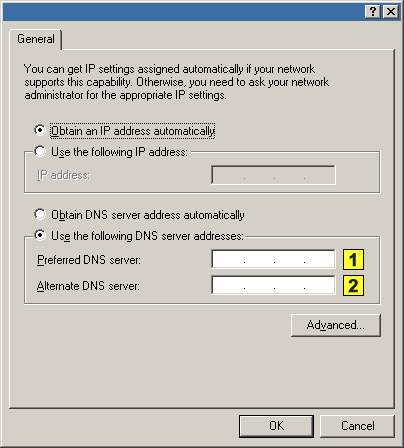
Enter the following DNS numbers where indicated
above:
|
|
Primary DNS: |
65.43.19.26 |
|
|
Secondary DNS: |
209.153.128.4 |


- Locate your "Preferred
DNS" and clear out all of the old numbers, then do the same with
"Alternate DNS."
- Next, starting with
"Preferred DNS," double left click in the space to the left of
the first period.
- Now type in 209.153.128.4
you will notice that the cursor automatically advances to the next space
over as you type.
- Locate the <TAB>
key on your keyboard and press it. This will automatically take you to the
line, "Alternate DNS."
- Double left click in
the space to the left of the first period. Now type in 65.43.19.26,
You may have to hit the <SPACE> bar to get the cursor to move to the
next space as you go.
- Now Click OK, then
click the next OK to close "Dial Up Networking."
- Left click OK three times
until you are back into the "Dial Up Networking" folder. Close
out of "Dial Up Networking" by clicking on the X in the upper
right corner of the folder.
If you have any questions or concerns, please feel free to call us at 1-414-453-3301